
Report Blocks
Building your CodeHarbor Reports consists largly on combining different blocks. Blocks are the cornerstones, and display a certain set of data from your Zabbix monitoring. By combining these your system healthintelligently, you can create correct and insightfull overvieuws of your Zabbix date. Currently, following Blocks are available to user:
Different Block types
Section titled “Different Block types”Table of contents
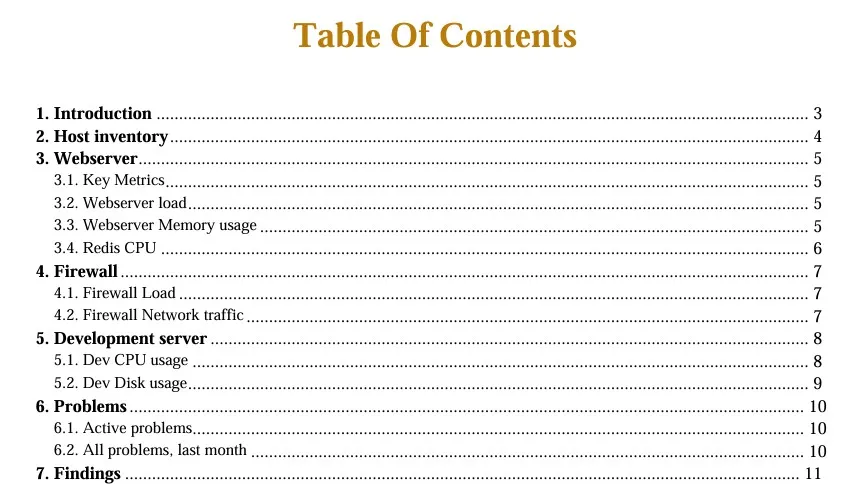
Section titled “Table of contents”This block enters a table of content to your report. When active, the TOC is always shown on Page 2. This is filled automatically by the Headers and Blocks you enter in your Report.

Maximum instances: 1
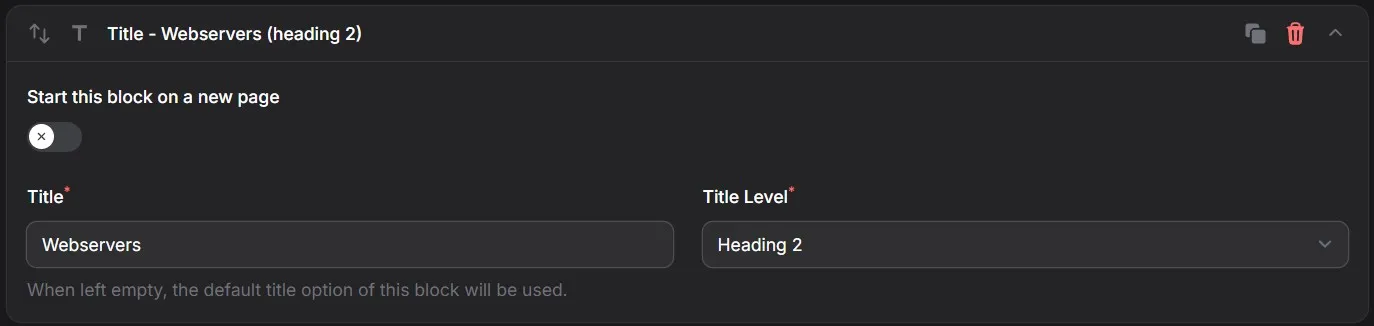
This block allows you to add a Title to your Report. The CodeHarbor Report-Engine allows you to define 3 levels of Titles. Depending on your Style settings, these Titles will be formatted accordingly.
Fields:
- Start on New Page
When selected, this block will start on a new page
- Title
Enter the desired title text
- Title Level
Allows you to select the desired heading level from 3 possible options

Maximum instances: Unlimited
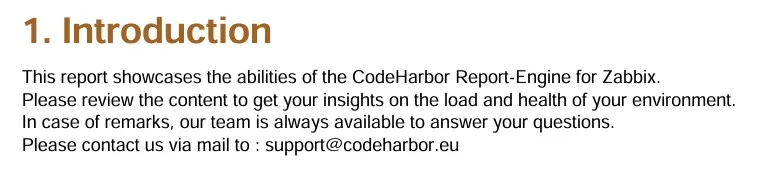
This block allows you to add a Fixed text your Report. The text will be added as-is to your report. The input field allows you to enter multiple lines of text using basic HTML tags
Fields:
- Text

Maximum instances: Unlimited
Empty Lines
Section titled “Empty Lines”This block allows you to add free frame to your report. A correct business report can gain from additional analisys data to be entered after execution. These blanck lines allow you to add these comments or itemized notes.
Fields:
- Number of empty lines


Maximum instances: Unlimited
Host Inventory
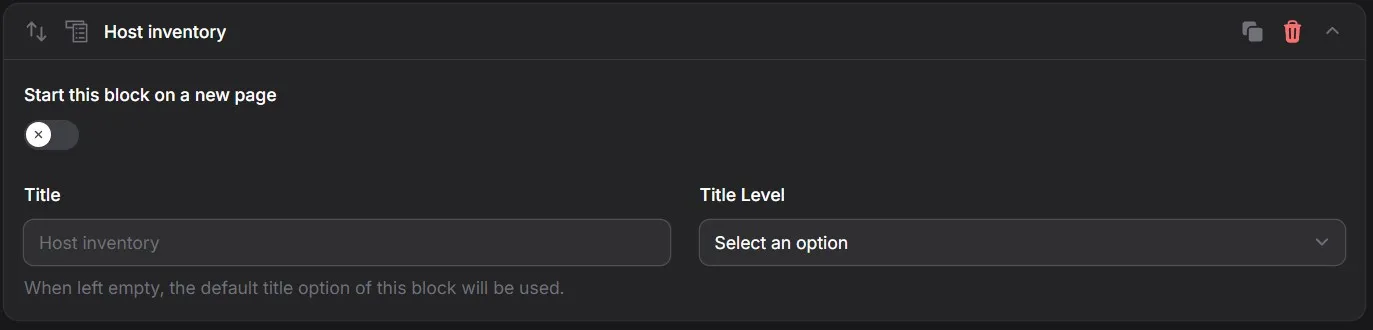
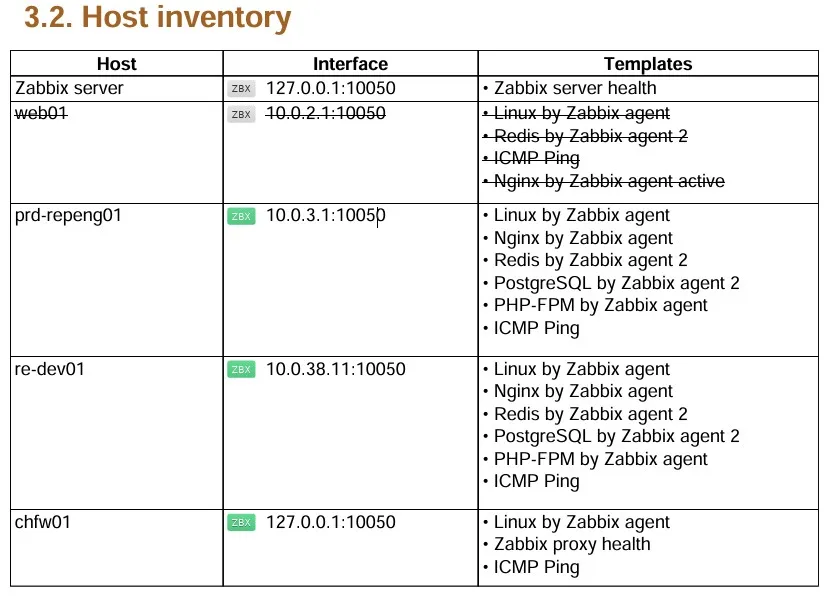
Section titled “Host Inventory”This block lists all hosts in your selected hostgroups.
Fields:
- Start on new page
Allows you to start the inventory on a new page
- Title
Allows you to enter a title for this block When left empty, the default title “Host Inventory” is used.
- Title Level
Select the desired heading level from 3 possible options
Maximum instances: 1
Active problems
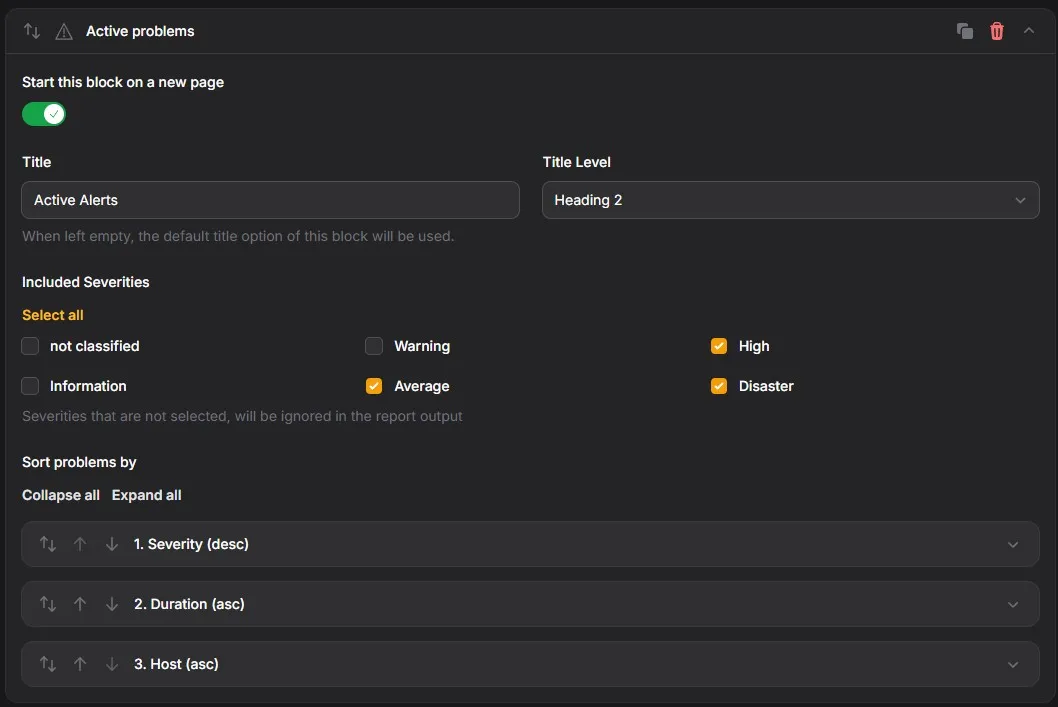
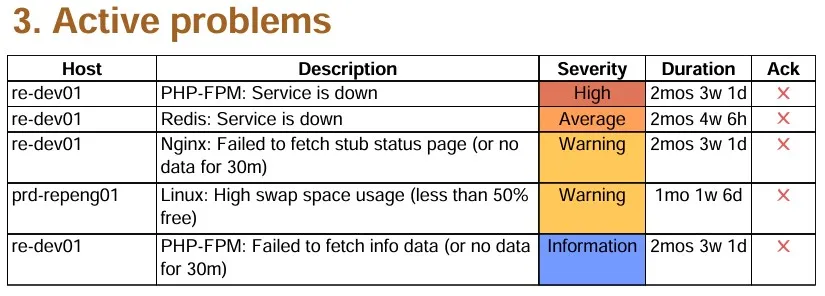
Section titled “Active problems”This block creates a list of all active problems, at the time of Report creation..
Fields:
- Start on new page
Allows you to start the inventory on a new page
- Title
Allows you to enter a title for this block When left empty, the default title “Active problems” is used.
- Title Level
Allows you to select the desired heading level from 3 possible options
- Included severities
Allows you to set the severities to include in your report
- Not classified
- Information
- Warning
- Average
- High
- Disaster
- Sort options
Allows you to set the sorting order of the problems shown
- By severity
- By Duration
- By Hostname (Alphabetical)
Maximum instances: 1
All problems
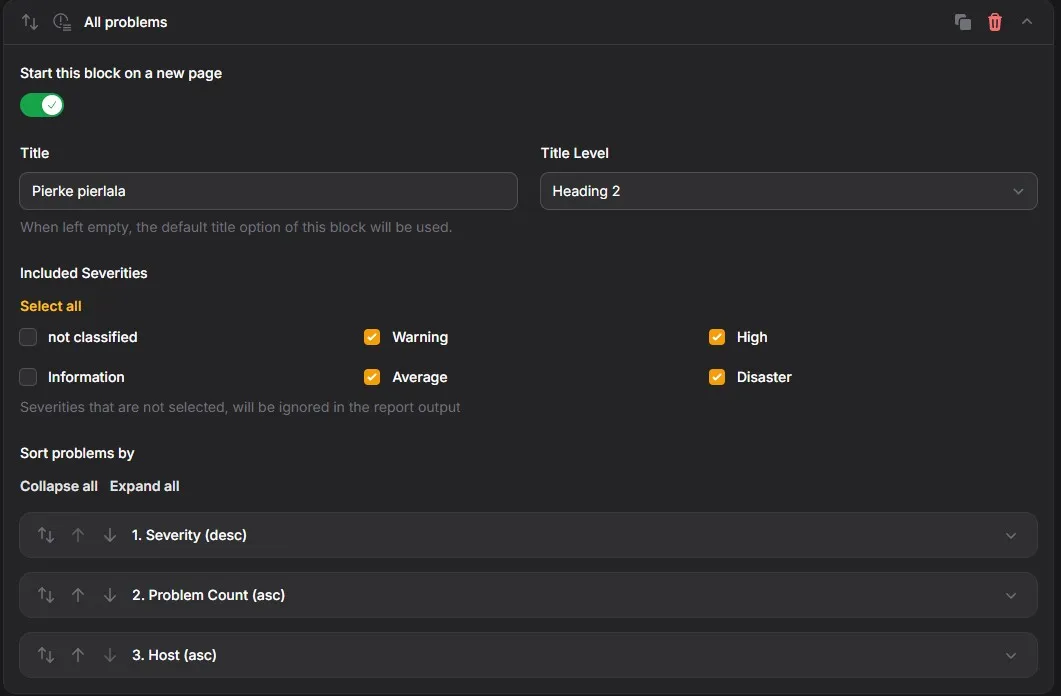
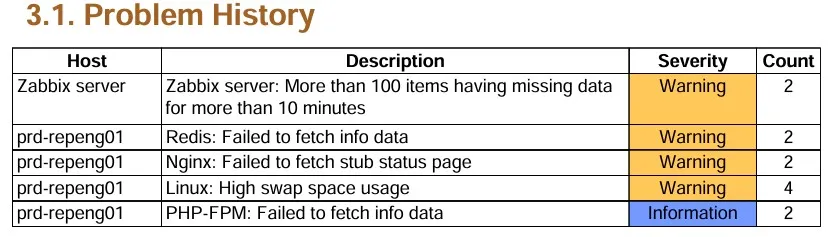
Section titled “All problems”A Business report often requires a complete overview of all problems that occurred during the reporting period. This block creates a list of all problems, that occurred during the timeframe of your report, including a count of the number of occurences. All problems are gathered trough the Zabbix API, and combined according to the type of problem.
Fields:
- Start on new page
Allows you to start the inventory on a new page
- Title
Allows you to enter a title for this block When left empty, the default title “All problems” is used.
- Title Level
Allows you to select the desired heading level from 3 possible options
- Included severities
Allows you to set the severities to include in your report
- Not classified
- Information
- Warning
- Average
- High
- Disaster
- Sort options
Allows you to set the sorting order of the problems shown
- By severity
- By Duration
- By Hostname (Alphabetical) Within these sort options, the number of occurrences determines the order.
Maximum instances: 1
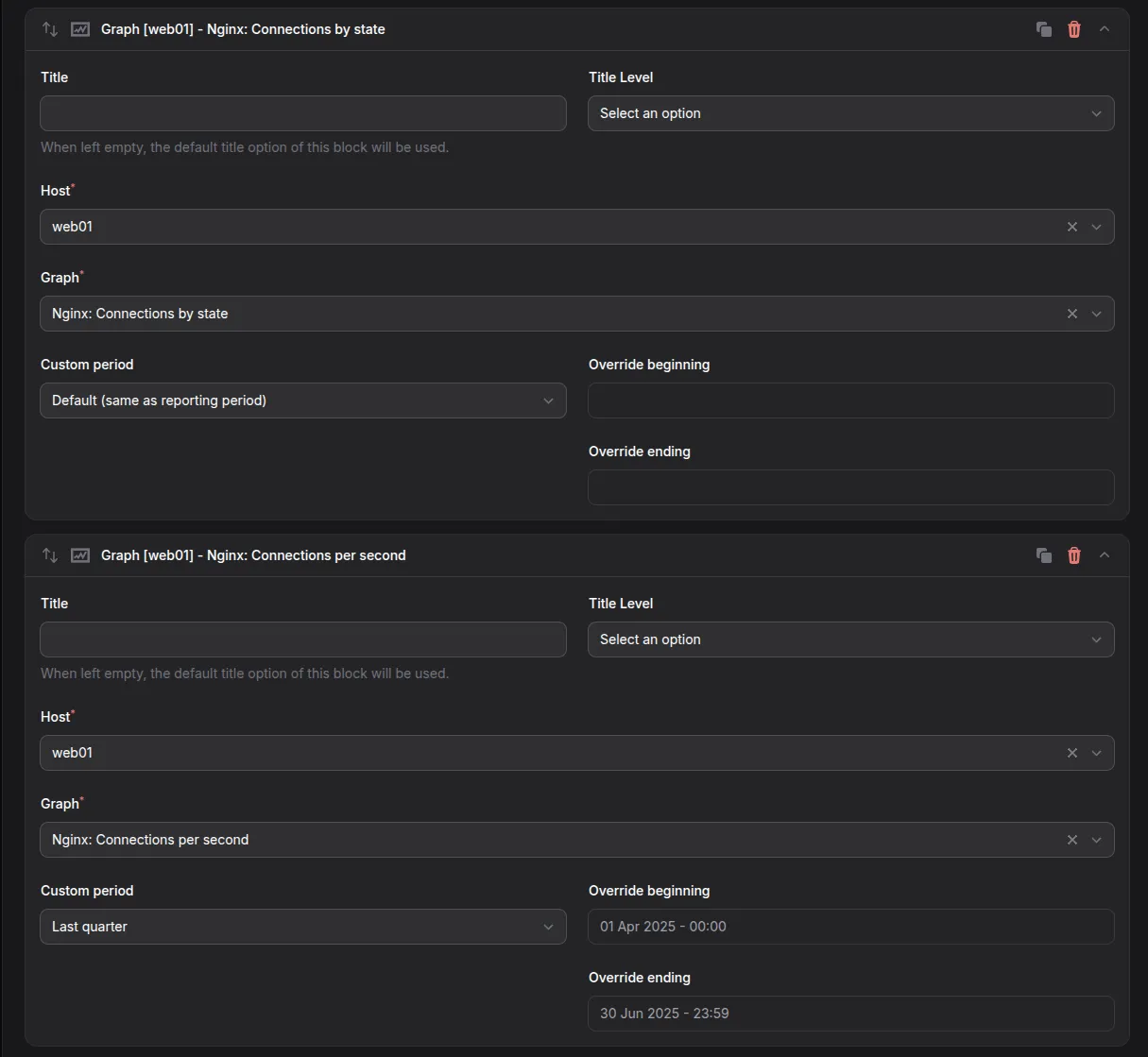
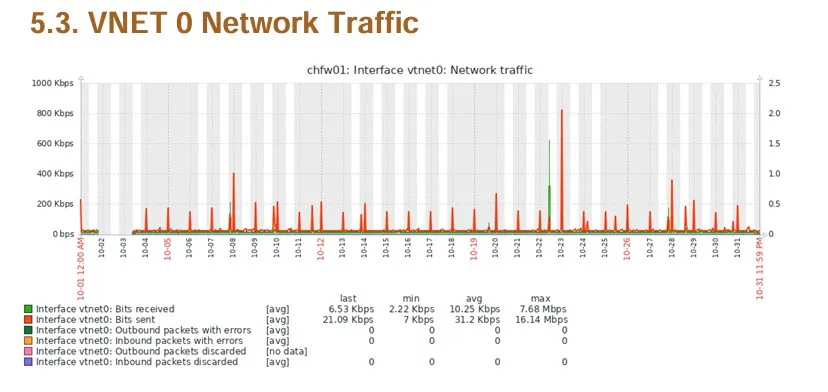
One of the main cornerstones of your report, Graphs. Any graph that is available in your Zabbix configuration can be shown in your report. By adding multiple graph blocks, you can create a comprehensive overview of your environment.
Fields:
- Start on new page
Allows you to start the inventory on a new page
- Title
Allows you to enter a title for this block When left empty, the default title “All problems” is used.
- Title Level
Allows you to select the desired heading level from 3 possible options.
- Host (dropdown)
Depending on your selected hostgroups, you can select the desired host from the dropdown.
- Graph (dropdown)
Depending on your selected host, you can select any, in Zabbix available, graph from the dropdown.
- Custom time period
Depending on your subscription. When enabled, you can set a custom time period for this graph. Attention, this period will override the general report period.
Maximum instances: Unlimited
Page break
Section titled “Page break”This block allows you to define a page break between any 2 blocks
No fields

Maximum instances: Unlimited
Single Stat
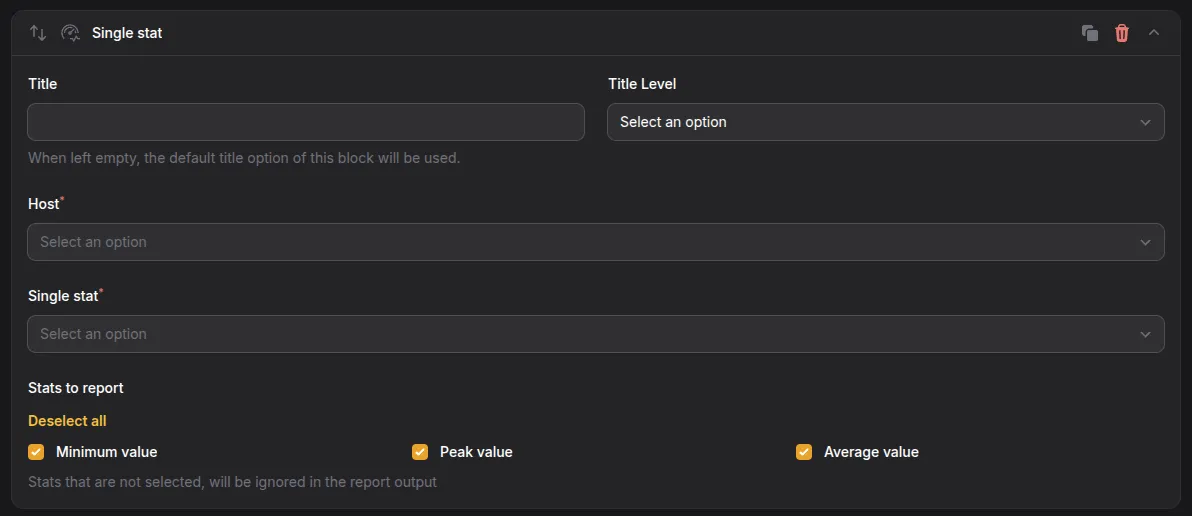
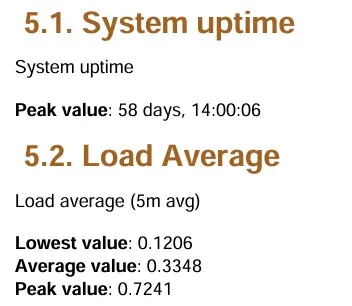
Section titled “Single Stat”This blocks allows the reporting of a single stat value. You can include the minimum, peak & average value of that stat. This block is ideal to be combined with a graph.
Fields:
- Title
Allows you to enter a title for this block When left empty, the default title option of this block is used.
- Title Level
Allows you to select the desired heading level from 3 possible options.
- Host (dropdown)
Depending on your selected hostgroups, you can select the desired host from the dropdown.
- Single stat (dropdown)
Depending on your selected host, you can select any, in Zabbix available, single stat from the dropdown.
Maximum instances: Unlimited
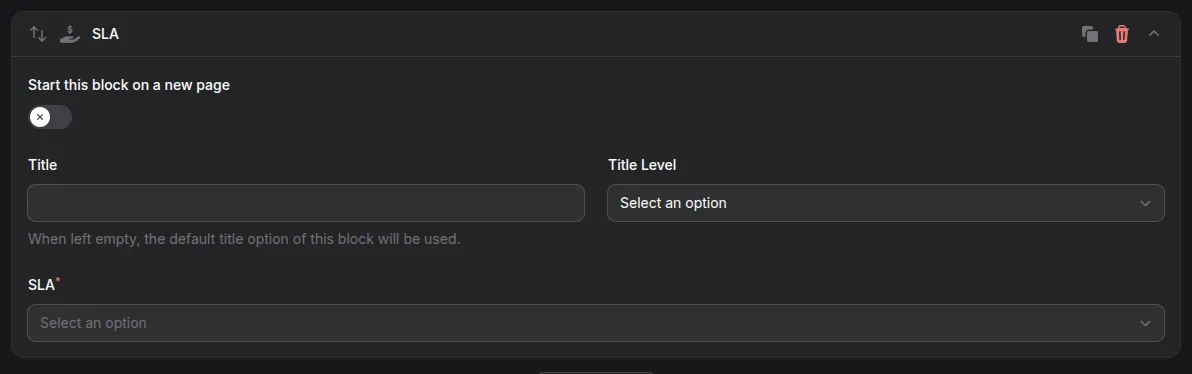
When we talk about reporting, Service Level Agreements (SLA) can’t be missed. This blocks allows you to select a pre-defined SLA from Zabbix and render it in your report.
Fields:
- Start on new page
- Title
Allows you to enter a title for this block When left empty, the default title option of this block is used.
- Title Level — 3 levels possible
Allows you to select the desired heading level from 3 possible options.
- SLA (dropdown)

Maximum instances: Unlimited
Need more blocks?
Section titled “Need more blocks?”If you require additional Block components, contact us via [email protected] We are always looking to improve our Report-Engine, and your feedback is highly appreciated.